Interactive demo
Try it on real log footage.
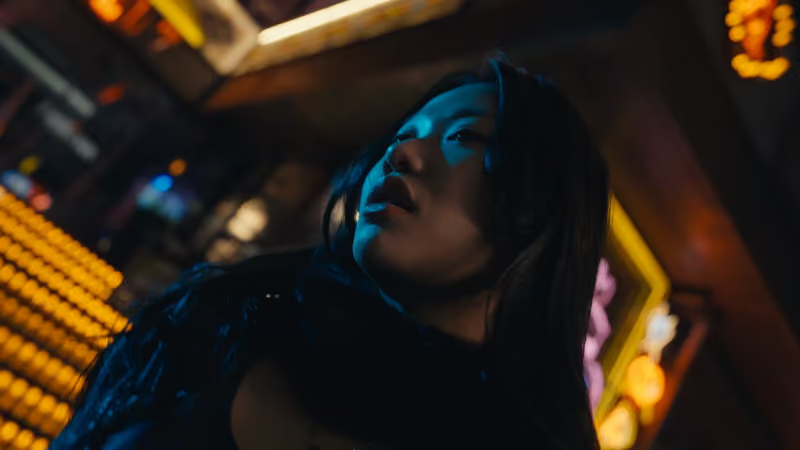
Real frames, straight from the camera on one side and graded on the other. The waveform and vectorscope are computed live from what you see.

 LookLog
Real frames
Pick a frame, then drag the line. Left is the grade, right is the log original.
CINELOCO LUT$59.99
CINELOCO POWER GRADE$65.99
CINECA PRO LUT$39.99
CINECA POWER GRADE$49.99
Which file for my camera?
Each look has one LUT file per camera profile, because every log curve puts the same brightness at a different signal level. Use the file that matches how you shot.
| You shot | Colour gamut | 18% grey sits near | Use |
|---|---|---|---|
| Sony S-Log3 | S-Gamut3.Cine | 41% | Sony FX3, FX30, FX6, A7S III, A7 IV and others. Use the S-Log3 version of the LUT. |
| Blackmagic Film Gen 5 | Blackmagic Wide Gamut | 38% | Blackmagic Pocket, URSA and BRAW decoded as Blackmagic Film Gen 5. Use the Blackmagic version. |
| Apple Log | Rec.2020 | 49% | iPhone 15 Pro and later, in the Camera app or the Blackmagic Camera App. Use the Apple Log version. |
| Apple Log 2 | Apple Wide Gamut | 49% | The newer iPhone log profile with a wider gamut. Use the Apple Log 2 version. |
| Rec.709 | Rec.709 | 41% | Footage that is already normal video: standard iPhone clips, drones in normal mode, AI-generated video. Use the Rec.709 version. |
Like what you see?
Take it into your edit.


BUNDLE
CINELOCO BUNDLE
LUT pack plus both PowerGrades. The whole CINELOCO system.
$119.99USD

POWERGRADE
CINELOCO POWER GRADE
The full node tree behind the look: 17 nodes Free, 19 for Studio, with a real 35mm grain workflow.
$65.99USD
LUT PACK$49.99USD
CINECA PRO LUT
Seven .cube files. Moody, filmic, textured colour in one click.
$39.99This demo plays back pre-rendered frames. The LUT and PowerGrade files are only available with a purchase.